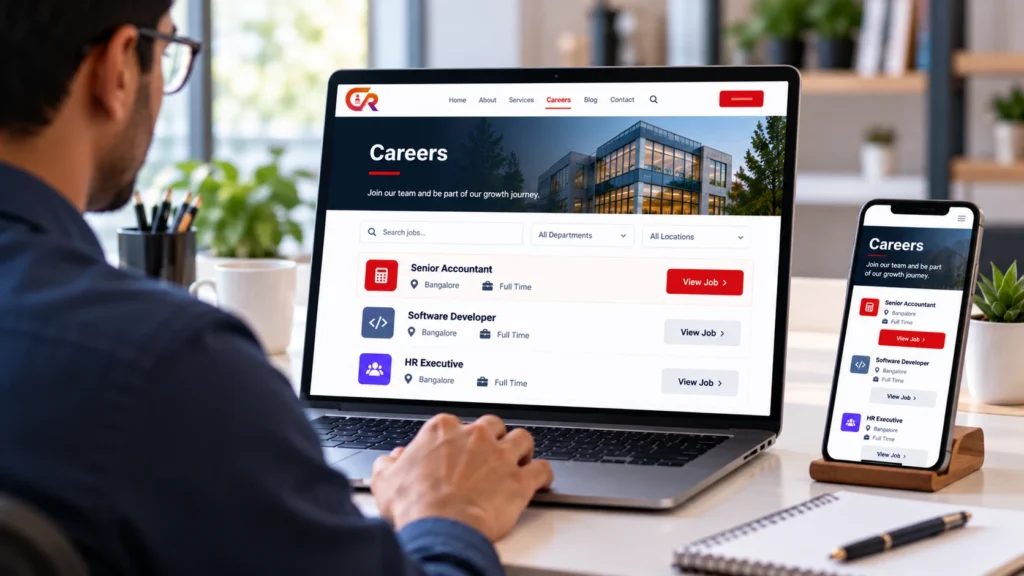
For many small businesses, recruitment starts on someone else’s platform. A vacancy is posted on a job board, applications arrive by email, and the company website says little about the job. A small business recruitment website takes a different approach: it makes the company’s own site the main place where candidates learn about the business, find open roles and apply.
This article looks at why a business might choose that route, what it involves and where it falls short. It treats the idea as a business decision and not as a trend with proven numbers, because the right approach depends on who you hire and how.
Quick Answer
A small business recruitment website publishes jobs and collects applications on a site you control, usually alongside other channels. It can give candidates consistent information and give you applications in one place, but it works best when you also have a clear process for handling what arrives.
Why Your Company Website Matters in Recruitment
Candidates commonly look up an employer before they apply. They want to know what the company does, whether it seems credible and what working there might involve. Your website is often the first place they look, whether or not you sent them there.
A website can answer questions that a short job advert cannot: what the business does, how it works, what it offers and what the role involves day to day. It also gives you a stable, public place to list vacancies under your own name, instead of relying only on listings that sit on other sites and follow their format.
None of this guarantees more applicants. It means the information candidates find about you is accurate, current and written by you.
What Does It Mean to Recruit Through Your Own Website?
The phrase covers several different things, and it helps to separate them:
- A company careers page presents your open roles and describes what it is like to work for you.
- A job board lists vacancies from many employers on one site. Your own site lists only yours.
- An application form lets candidates apply directly, usually with a resume upload.
- A recruitment-management system stores applications and tracks them through the hiring process.
A basic careers page needs only the first. Receiving applications adds the third, and managing them properly adds the fourth. Our guide to building a professional careers page in WordPress covers the first in detail.
What a small business recruitment website usually includes
A small business recruitment website typically combines a careers page, individual job pages and a way to apply. Whether it also includes tools for reviewing and tracking candidates depends on the software behind it.
The Benefits of Making Your Website Part of Recruitment
A company careers website can offer several practical advantages:
- Consistent employer information. Every vacancy points to the same description of the business.
- Direct application collection. Candidates can apply without going through a third party.
- Control over the experience. You decide how the careers page looks, reads and works.
- A central location for candidate information, where the software you use supports it.
- Reusable job pages. A well-written job page can be linked from adverts, emails and social posts.
- A link between recruitment and brand. Hiring content sits alongside the rest of your company content.
These are possible advantages, not automatic results. Owning a website does not increase application volume by itself. Candidates still have to find it, which usually means promoting vacancies through search, social posts, referrals or job boards that link back to you.
Your Website Does Not Replace Every Recruitment Channel
External job boards still help you reach people who are not looking at your site. Recruitment agencies can help with hard-to-fill roles or when you have little time. Employee referrals, social networks and professional communities each reach different candidates.
A careers website works best as the home base that these channels point to. A job board advert can link to the full job page on your site, and a referral can be sent the same link. The website complements other channels. It does not remove the need for them.
How to Build a Candidate-Friendly Careers Experience
Candidates judge an employer partly by how easy the application process is. A few basics make a noticeable difference:
- Clear job titles. Use the title candidates would actually search for, not an internal label.
- Salary information where appropriate. Include it where it suits your business and where local rules require it.
- Responsibilities and requirements. Separate what the role involves from what you need from the candidate.
- Application instructions. Say how to apply, what to include and what happens next.
- A good mobile experience. Many candidates will read and apply from a phone.
- Accessibility. Use readable text, sensible headings and form labels that work with assistive technology.
A candidate who cannot tell what the role involves, or cannot use the page on a phone, will often simply leave.
How to Receive Applications Directly on Your Website
To receive job applications on your website, you need an application form. A few practical points help it work well:
- Keep it short. Ask only for what you need to make a first decision.
- Accept a resume upload in common file formats.
- Confirm the submission. Show a clear message on screen and, ideally, send a confirmation email.
- Explain privacy. Say what you collect, why you collect it and link to your privacy policy.
- Protect against spam without making genuine candidates jump through hoops.
Our article on getting job applications on your website with WordPress walks through setting this up.
What Happens After an Application Arrives?
Collecting applications is only one part of recruitment. Once they arrive, someone has to review them, decide who moves forward, tell candidates what is happening and keep a record of the outcome.
If applications land in a shared inbox, this stage tends to become the weak point. A recruitment-management tool gives each application a record and a status, which is the idea behind an applicant tracking system. We explain it in our guide to what a recruitment ATS is, and our article on what an applicant tracking system is and whether you need one helps you decide whether it is worth adding.
A Practical Recruitment Website Workflow
A small business hiring website supports a simple sequence from start to finish:
- Plan role. A process step: agree what you need and who decides.
- Publish job. The website: the job page goes live on your careers page.
- Promote vacancy. The website and other channels: link adverts, posts and referrals to the job page.
- Receive application. The website: the form collects the candidate’s details and resume.
- Review candidate. Recruitment tools: someone reads each application and records a status.
- Progress through hiring. Recruitment tools: interviews and decisions are tracked.
- Close vacancy. A process step: take the job down and tell remaining applicants.
The website covers the public side of this sequence, and recruitment-management tools cover the internal side. Planning the role and closing the vacancy are process steps that no software can do for you. Closing expired vacancies matters because outdated jobs frustrate candidates.
What Does It Cost to Manage Recruitment Through Your Website?
There is no single price, because the cost depends on what you already have and what you choose. The main cost categories are:
- Website setup and maintenance
- Plugin or software licensing
- Recruitment advertising
- Staff administration
- Integrations and support
Some of these are one-off and some recur. A business with an existing website may add little to its setup costs, while one starting from scratch will add more. Compare the total over a year, including staff time, instead of comparing licence fees alone. If you are choosing between plugin types, our comparison of a WordPress job board and a recruitment plugin explains the difference.
Common Mistakes to Avoid
- Treating the careers page as an afterthought. It is often the first impression a candidate gets of you.
- Unclear job descriptions. Vague roles attract poorly matched applicants.
- Too many application fields. Long forms lose candidates before they finish.
- Poor mobile usability. Forms that are hard to use on a phone create drop-off.
- No application confirmation. Candidates should know their application arrived.
- Losing applications in email. Messages get buried, forwarded and forgotten.
- Neglecting privacy and security. Resumes contain personal data and need careful handling.
- Leaving expired vacancies online. Close roles promptly so candidates do not apply to jobs that are filled.
Where CMAA Recruit Fits
CMAA Recruit is a WordPress recruitment plugin built for a single company’s own careers site. It connects job publishing with application management inside WordPress, so a small business recruitment website built on WordPress can handle both the public side and the internal side of hiring. It is not a multi-employer job board, and it is not automatically equivalent to every enterprise ATS.
The Free version includes job listings with an Advanced Job Builder, a public application form with resume upload, an applications list for recruiters, a login-free candidate status page and a confirmation email to candidates. CMAA Recruit Pro adds features such as a Kanban pipeline, a candidates database, interview scheduling and analytics. You can read how it works as a WordPress ATS for jobs, applications and hiring.
Connect your careers website with application management
Try the live demo to see job publishing and application management working together in WordPress.
Questions to Ask Before Moving Recruitment Onto Your Website
Use these questions to decide whether a recruitment website for small business hiring is right for you:
- How many roles will we hire for this year, and how often?
- Do we already have a website that we can maintain?
- Who will publish jobs and keep them up to date?
- Who will review applications, and how quickly?
- Where will candidate data be stored, and who can see it?
- Which other channels will send candidates to the site?
- What will we use to track candidates after they apply?
- What is the full cost, including staff time?
Frequently Asked Questions
Should a small business have a careers page?
Usually yes, if you hire even occasionally. A simple page that lists roles and describes the company gives candidates somewhere reliable to look. It does not need to be elaborate.
Can candidates apply directly on a company website?
Yes. With an application form, candidates can submit their details and a resume without going through a third-party site. The form needs to be easy to use, and you need a way to handle what comes in.
Does a company website replace job boards?
No. Job boards can reach people who would not otherwise visit your site. Businesses often use both, with job board adverts linking to the full job page on their own site.
How should a business manage applications received online?
Keep them in one structured place instead of scattering them across inboxes. A spreadsheet may do for very low volume, while recruitment software or a plugin becomes more useful as volume grows. Record a status for each candidate and let applicants know what is happening.
Can WordPress support a recruitment website?
Yes. A WordPress recruitment website can host a careers page, and with a suitable recruitment plugin it can also publish jobs and collect applications. Capabilities depend on the plugin, so check them before you rely on it.
Does a careers website guarantee more applicants?
No. A website makes your jobs and company information available, but candidates still need to find it. Application volume depends on the role, the location, your reputation as an employer and how you promote the vacancy.
Final Takeaway
A small business recruitment website can be a useful part of hiring. It gives you control over how your company and your jobs are presented, a direct route for applications and a stable page to link from other channels. It does not replace job boards, agencies or referrals, and it does not guarantee more candidates.
The best setup depends on your hiring needs, how far your candidates are likely to find you, and how complex your process is. Start with a clear careers page, add a simple way to apply, and choose tools for managing applications that match how much hiring you actually do.
Choose the recruitment features your business needs
See the full Free and Pro feature breakdown for CMAA Recruit.

About CMAA Softwares
CMAA Softwares builds practical software for SMEs and professional firms, grown out of problems solved first inside CMAA Advisors' own payroll, compliance, and recruitment desks. CMAA Recruit is our recruitment ATS plugin for WordPress. Learn more about us.