
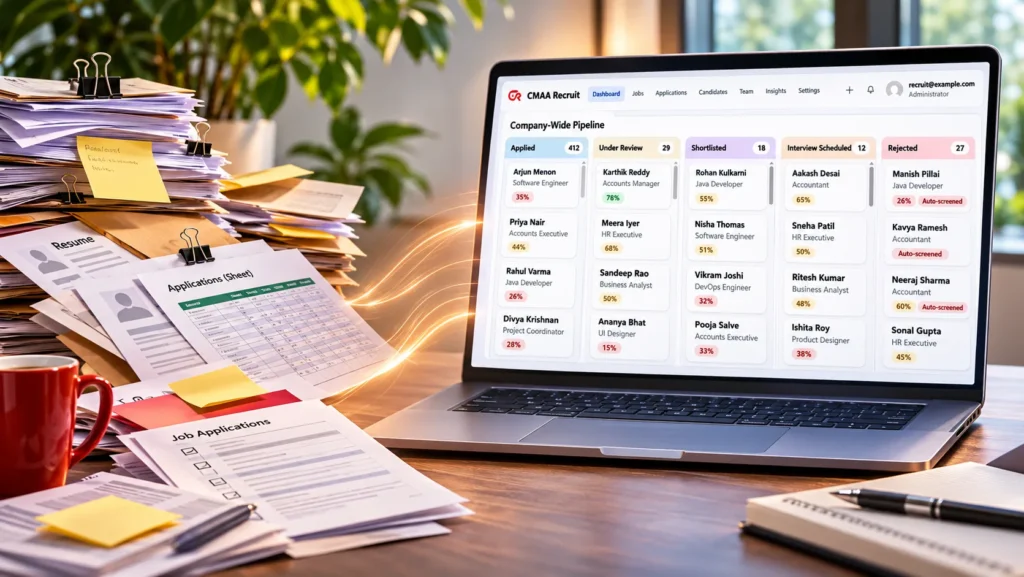
A resume arrives by email. Someone downloads it, saves it to a folder, types the candidate’s name into a spreadsheet and means to update the status later. A colleague keeps a second copy of the sheet. Two weeks on, nobody is certain who has replied to the candidate.
To manage job applications without spreadsheets and inbox searches, you do not need a complicated system. You need one reliable place for application information and an agreed way of handling it. This playbook shows how to get there. Email and spreadsheets can work well for one vacancy and one person, but they become harder to maintain as people and roles are added.
Why email and spreadsheets become difficult for recruitment
Neither tool is bad. Email is excellent for conversation, and a spreadsheet is useful for a quick list, a one-off analysis or a very small hiring round. The strain appears when they are asked to act as a shared record of every candidate.
- Scattered information. Details sit in personal inboxes, chat messages and attachments.
- Several spreadsheet versions. Copies are edited separately and drift apart.
- Duplicate records. One person applying twice, or to two roles, appears as unrelated rows.
- Missing attachments. A resume is saved on one laptop and nowhere else.
- Unclear status. A blank cell could mean new, rejected or forgotten.
- Delayed follow-ups. A reminder depends on someone remembering it.
- Poor visibility. Seeing progress across open vacancies means compiling it by hand.
- Difficult handovers. When a recruiter is away, their context goes with them.
- Limited reporting. Inconsistent entries make counts unreliable.
- Inconsistent data handling. Copies of personal data spread beyond what anyone can track.
Identify what is going wrong in your current process
Before choosing a tool, follow one recent application from arrival to outcome and answer these questions honestly.
| Area | Question to answer |
|---|---|
| Arrival | Which inboxes, forms, portals and messages receive applications? |
| Review | Who downloads resumes, who reads them and how quickly? |
| Records | Where are candidate details stored, and how many copies exist? |
| Status | Who updates it, and what does each label mean? |
| Interviews | Where are times, interviewers and feedback recorded? |
| Follow-up | How does anyone know a reply is overdue? |
| Closing | What happens to successful, unsuccessful and withdrawn applications? |
A checklist before you manage job applications without spreadsheets
Tick every statement that is true today.
- We have had to ask a colleague where a resume is.
- Two versions of an applicant list have disagreed.
- A candidate has chased us because nobody replied.
- We cannot say how many applications are waiting for review.
- A recruiter’s absence has stalled a vacancy.
- We do not know when old candidate files should be deleted.
One tick may only need a better habit. Several ticks suggest the process itself needs a single record and clear ownership.
Build a centralized application management process
Good job application management starts with one record per application that everyone treats as correct, so nobody has to reconcile an inbox, a sheet and a folder to learn what happened. It needs these components:
- One entry point. Direct candidates to a single application form or address. Our guide to creating a job application form in WordPress covers the form side.
- A central candidate record that holds contact details and history together.
- A vacancy link, so every application belongs to a specific role.
- Consistent statuses with written definitions.
- Resume and document storage attached to the record.
- An assigned owner for each vacancy or application.
- Notes and follow-up history that a colleague can understand.
- Search and filtering by name, role and status.
- Access controls that limit records to the people who need them.
Applications that still arrive by email or in person need a rule: who enters them into the central record, and by when. Without that rule, a second list begins to grow.
Create a simple recruitment workflow
Start with a short sequence and adjust it to how your company actually hires:
- The candidate applies.
- The application is recorded against the vacancy.
- A recruiter reviews it.
- The candidate is shortlisted or declined.
- An interview is arranged where appropriate.
- The hiring decision is recorded.
- The candidate is told the outcome.
- The application is closed, then retained or deleted under your policy.
For each step, name the person responsible and what must be recorded before it moves on. A small company rarely needs more than a handful of stages. Add a stage only when people would act differently because of it. For a fuller treatment of roles and stages, see how to create a recruitment workflow for a small business.
Move from spreadsheets to a centralized system step by step
Treat the move as a short project with one owner. If you are also weighing up software categories and migration phases, our guide on moving from email-based recruitment to an applicant tracking system covers that decision. The steps below focus on how to organize job applications day to day.
Step 1. Audit existing application records
List the active vacancies and every place that holds candidate data. For each vacancy, mark duplicate entries, rows without contact details, resumes that will not open and applications with no clear status. Do not tidy everything yet; first learn how large the job is.
Step 2. Define a standard candidate record
Agree the fields every application needs. Collect only what you will use.
| Field | Why it matters |
|---|---|
| Candidate name | Identifies the person |
| Email and phone | Allows contact and helps spot duplicates |
| Applied role | Links the application to a vacancy |
| Application date | Shows how long it has waited |
| Resume | Keeps the document with the record |
| Current status | Shows what happens next |
| Recruiter or owner | Makes responsibility visible |
| Notes and follow-up date | Preserves context and prompts action |
Write notes as factual, job-related observations that you would be comfortable showing the candidate.
Step 3. Standardize application statuses
Labels such as “called”, “phone done” and “R1” may mean the same thing to three people, which breaks counting and handovers. Choose a small set and define each one.
| Status | Meaning | Next action |
|---|---|---|
| New | Received, not yet reviewed | Review by the owner |
| Under review | Being assessed against the role | Shortlist or decline |
| Shortlisted | Selected for further steps | Arrange contact or interview |
| Interview | Interview arranged or awaiting feedback | Record feedback and decide |
| Hired | Offer accepted | Close and hand over |
| Declined | Not proceeding | Inform the candidate and apply retention rules |
| Withdrawn | Candidate stopped the process | Close the record |
These are examples, not a standard. If your tool has fixed statuses, map your terms to them and write down the mapping.
Step 4. Choose a central application management tool
Judge each option against your own process:
- Does it fit your size and the number of people who need access?
- Does it support the stages you actually use?
- Can you limit who sees which records?
- Can you search and find a candidate quickly?
- Is application status visible without opening a spreadsheet?
- Can you report on or export the information you need?
A well controlled shared tool may be enough at low volume. For a wider comparison, read what an applicant tracking system is and whether you need one.
Step 5. Move active vacancies and candidate records
Move active applications first, because they need action now. Check a sample against the source and confirm that counts match for each vacancy. Do not carry over outdated records simply because they exist. Decide under your retention rules whether to archive or delete them, and check what your tool can import before promising anyone an automatic transfer.
Step 6. Train recruiters and define ownership
Run a short session using a real vacancy. Show how to open an application, update its status, add a note and find an overdue follow-up. Name an owner for each vacancy and a backup for absences, and agree how quickly new applications should be reviewed.
Step 7. Stop maintaining parallel records
A spreadsheet kept “just in case” soon becomes an unofficial second system, with the same conflicts as before. Announce a changeover date. After it, make the old sheet read-only and update only the central record. Keep backups and historical records only as long as your organization’s policy requires, and restrict who can open them.
Check after two weeks: can a colleague answer a question about any active candidate without asking the owner? If not, find out which information is still living somewhere else.
Email versus spreadsheet versus centralized applicant tracking
The right approach to candidate application tracking depends on volume, people and risk. Actual features vary by product and plan.
| Area | Spreadsheet | Centralized tracking | |
|---|---|---|---|
| Application collection | Arrives as messages | Typed in or collected by a linked form | Form or entry creates a record |
| Candidate information | Spread across threads | Rows, with files stored elsewhere | Details and documents together |
| Status visibility | Inferred from messages | Visible if kept up to date | Shown on the record if the tool supports it |
| Collaboration | Forwarding and copying | Shared editing with care | Shared records with permissions |
| Follow-up | Personal reminders | Date columns checked by hand | Owners and prompts, where offered |
| Vacancy association | Depends on subject lines | Manual column | Linked to the role |
| Search and filtering | Search by person | Sorting and filters | Filters by role or status, where offered |
| Reporting | Very limited | Possible with consistent data | Depends on the product and plan |
| Scalability | Suits very low volume | Suits small, disciplined teams | Better suited to more roles and people |
Email remains useful for talking to candidates, and spreadsheets for ad hoc analysis. The change is that neither is the master record.
Candidate data, privacy and access management
Applications contain personal information, so centralizing them is also a chance to control it.
- Give access only to staff involved in the hiring decision, and remove it when roles change.
- Stop forwarding resumes to personal addresses or open shared folders.
- Use secure storage, strong sign-in protection and backups.
- Collect only the information you need at each stage.
- Set a retention period, review records and delete them when it ends.
- Decide how you will respond when a candidate asks to see or erase their data.
Legal duties depend on where your business and candidates are. As one example, the UK Information Commissioner’s Office explains data minimisation and storage limitation under UK GDPR. Check the rules that apply to you and take professional advice where needed. Software alone does not make a process compliant.
How a WordPress recruitment system can help
If candidates apply through your website, a WordPress recruitment plugin can record each application against a job instead of sending it to a personal inbox. CMAA Recruit is one option. It is a recruitment plugin for a single company’s careers site, not a full enterprise ATS or HR suite.
The Free version provides job listings, an application form with resume upload, encrypted resume storage, an Applications list showing job, candidate, applied date and resume, recruiter roles that limit access by job and a confirmation email with a private status link. The Free list does not include status changes, notes or export. Our guide to managing job applications from the WordPress dashboard shows how to work with it, and status checks without a candidate account explains the candidate side.
CMAA Recruit Pro adds an application detail view, a status workflow, a Kanban pipeline, bulk actions, CSV export, a candidate database with notes and tags, and interview scheduling. It can also create applications for one job from a CSV file after a preview. That import does not bring resumes with it.
Neither version automatically imports your old emails or spreadsheets. Plan what you will re-enter or import, and test with a small sample first.
See how CMAA Recruit works
Try job listings, application forms and application management in a live demo.
Frequently asked questions
Is it bad to manage job applications in Excel?
No. Excel or Google Sheets can suit a small, short hiring round with one careful owner. Problems grow when several people edit copies or resumes and messages live elsewhere.
When should a company stop using spreadsheets for recruitment?
Consider changing when records often conflict, follow-ups are missed, several people share the work or nobody can state an application’s status quickly. There is no fixed number of applications.
How should recruiters organize resumes?
Attach each resume to its candidate record and vacancy, restrict access and avoid extra downloads. If you must use folders for now, use one controlled location and a consistent naming rule.
What is the best way to track candidate application status?
Use a short list of defined statuses, one current value per application, a named owner and a follow-up date. Update it when the event happens.
Can WordPress be used to manage job applications?
Yes, with a suitable form or recruitment plugin. Check where applications and files are stored, who can see them and which management features your plan includes.
Do small businesses need an applicant tracking system?
Not always. It becomes more useful as vacancies, applicants and the number of people involved increase. Fix ownership and statuses first, then choose a tool that supports them.
Final thoughts
The goal is not more software or more stages. It is one dependable place for application information and a consistent way of handling every candidate. Start with your active vacancies, agree the record and the statuses, name owners and retire the duplicate lists. Once the team can manage job applications without spreadsheets acting as the master record, handovers and follow-ups become far easier to see.
Choose the right recruitment setup
Compare what is included in the Free and Pro versions before you decide.

About CMAA Softwares
CMAA Softwares builds practical software for SMEs and professional firms, grown out of problems solved first inside CMAA Advisors' own payroll, compliance, and recruitment desks. CMAA Recruit is our recruitment ATS plugin for WordPress. Learn more about us.