
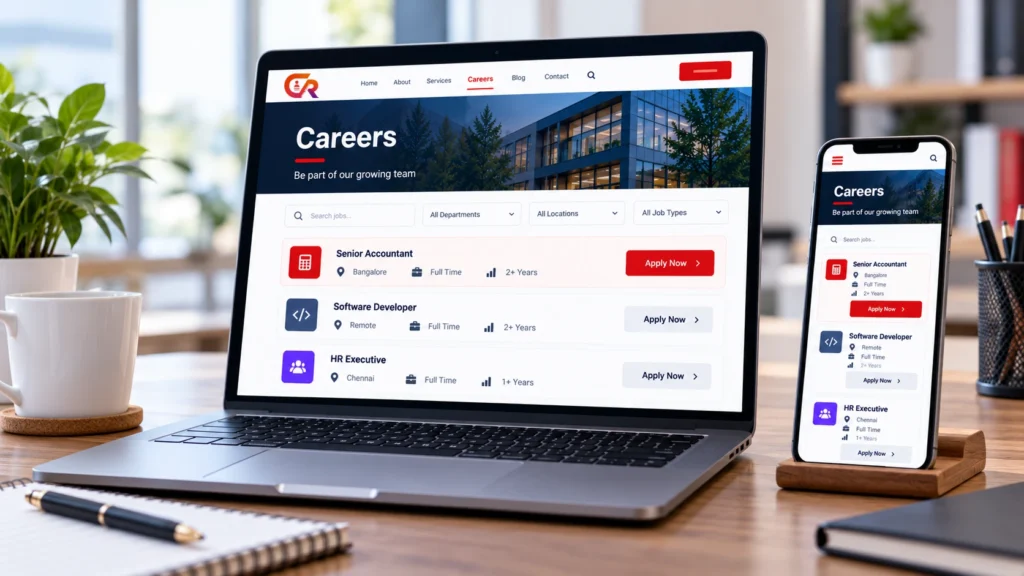
You can create a job listing website with WordPress, but WordPress itself is only the foundation. It provides the pages, navigation and publishing tools. The job listings, application forms and candidate management you need depend on the theme, plugin and configuration you choose.
This guide is for business owners, HR managers, recruiters and WordPress administrators. It explains what kind of site you are building, how to structure and set it up, how to publish jobs and receive applications, and how to keep the site useful once it is live.
Decide What Type of Job Listing Website You Need
The phrase job listing website covers three different projects. Decide which one you are building before you choose a theme or plugin, because the requirements differ.
| Aspect | Company careers website | Multi-employer job board | Niche job listing website |
|---|---|---|---|
| Typical audience | Candidates interested in one employer | Candidates searching across many employers | Candidates in one profession or industry |
| Who owns the listings | The company | Many employers | Employers or the site operator |
| Application handling | One hiring team receives them | Often forwarded to each employer | Varies by model |
| Administrative workload | Moderate, for one organisation | Higher, with moderation and support | Moderate to high |
| Extra capabilities | Applications and recruiter access | Employer accounts, moderation, payments | Specialist categories and filters |
A company careers website is the simplest. It publishes one organisation’s vacancies and sends applications to one hiring team. A multi-employer job board is closer to running a marketplace, with employer accounts, moderation and support. A niche site sits between the two, depending on who posts the jobs.
If your goal is to create a job board with WordPress for many employers, plan for employer accounts and moderation from the start. If you only need to show your own vacancies, a simpler setup is easier to build and to maintain.
Plan the Structure of Your Job Listing Website
Most job listing sites are built from the same components:
- Homepage. Explains who you are and points to open roles.
- Careers or jobs landing page. Lists current vacancies.
- Job detail pages. One page for each role.
- Categories and locations. Help candidates find relevant roles when you have many.
- Application forms. A clear route to apply.
- Employer or recruiter information, where relevant.
- Contact and privacy information.
- Search and filtering, if your chosen tools support them.
Not every site needs all of these. A small company may need only a careers page, job pages and a form, and our guide to building a professional careers page in WordPress covers the first of these. Add search and filtering only when your tools provide them and you have enough vacancies to make them useful.
Set Up WordPress for Job Listings
To create a job listing website with WordPress, a sensible setup follows this sequence:
- Domain and hosting. Choose a reliable host and a domain that matches your brand.
- Install WordPress. Follow the official guide to installing WordPress.
- HTTPS and basic security. Enable HTTPS and review the guidance on hardening WordPress.
- Theme. Pick a maintained theme that is readable and works on mobile. WordPress explains how to work with themes.
- Page structure. Create your home, careers and privacy pages. See how to create pages.
- Navigation and mobile usability. Make the careers page easy to reach and test it on a phone.
- Backups and updates. Plan for backups and keep the site current by updating WordPress.
It helps to separate two ideas. A theme controls presentation: layout, fonts and colours. A recruitment plugin provides recruitment-specific functionality, such as job listings and application handling. An attractive theme does not turn a site into a job listing website on its own.
Choose the Right Job Listing Method
There are three common ways to publish jobs:
- Manual job pages. You create a WordPress page for each vacancy. This is simple and needs no extra software, but formatting drifts over time, structured data is not automatic and applications usually arrive by email or a general form.
- A general job board plugin. It provides structured listings and often search, but application handling and candidate records vary widely between products.
- A recruitment plugin. It connects job publishing with application collection and management inside WordPress. That suits a company handling its own hiring, although it adds a tool to configure and maintain.
Some products are marketed as a job listing website builder, which can mean anything from a simple listings plugin to a full platform, so read what is actually included.
No method is always best. Compare them on how many vacancies you have, how often they change, whether applications should be stored in WordPress and who will maintain the setup. Our article on WordPress job board vs recruitment plugin explains the difference between the last two options.
Create Your First Job Listing
A useful job listing gives candidates enough information to decide whether to apply. Include:
- Job title
- Employer or department
- Location and work arrangement
- Employment type
- Salary or compensation information, where appropriate
- Responsibilities
- Required and preferred qualifications
- Experience and education requirements
- Application instructions
- Closing date, where applicable
- Equal opportunity and accessibility information, where appropriate
Write for scanning. Use short paragraphs and lists, and separate the requirements a candidate must meet from the ones that are merely desirable. Google’s structured data requirements depend on its current documentation, so check it instead of assuming a fixed list of fields.
Add an Application Process
Publishing a job and receiving applications are separate functions, and a listing is not much use without a clear way to apply. A job application website needs a trustworthy route from the job page to a submitted application. Cover these points in your form and process:
- Form fields. Ask only for what you need to make a first decision.
- Resume upload, with sensible file types and size limits.
- Contact information so you can reply.
- Confirmation messages and a confirmation email, so candidates know the application arrived.
- Storage and recruiter access. Decide where applications are kept and who can see them.
- Privacy, including secure handling and a retention period for resumes.
Keep the form short and test it on a phone. Our guide to getting job applications on your website with WordPress covers the process in more detail.
Organize Jobs and Applications
Running the site is mostly routine upkeep:
- Review applications promptly.
- Track which positions are open and which are closed.
- Close or remove expired listings.
- Avoid duplicate or outdated job pages.
- Keep job information consistent.
- Restrict access to candidate data.
When a position is filled, update the listing the same day if you can, and remove test or draft listings before launch.
Collecting applications is not the same as running a full recruitment pipeline. A simple listing site does not automatically include a candidate database, interview scheduling or analytics. Our guide to what a recruitment ATS is and our article on what an applicant tracking system is and whether you need one explain when you may need more.
Make Your Job Listings Search-Friendly
Search-friendly job pages are mostly well-built pages:
- Descriptive job titles
- Readable URLs
- Useful page titles and meta descriptions
- Clear job details
- Internal links from the careers page
- Good mobile usability
- Correct canonical URLs
- Removal or updating of expired listings
Google documents JobPosting structured data for job pages. It helps Google understand eligible pages, but it does not guarantee indexing, ranking or inclusion in Google for Jobs. Some recruitment plugins add it for you, so check whether yours does and that the data stays accurate.
Make the Website Useful for Candidates
Candidates judge an employer partly by how easy the site is to use. Pay attention to clear navigation, readable text and good contrast, mobile-friendly forms, transparent requirements, a clear application confirmation, a reasonable application process, privacy information and contact details for recruitment questions. These improve the experience, but they do not guarantee more applicants or better hires.
Plain language helps too. Avoid internal job codes and jargon in titles and descriptions, and tell candidates what happens after they apply.
What Does It Cost to Build a Job Listing Website?
There is no single price, because the cost depends on your choices. The main categories are:
- Domain and hosting
- Theme or design work
- Plugins and licences
- Development and customisation
- Maintenance and security
- Email delivery
- Optional integrations
A company careers site and a multi-employer job marketplace can differ greatly in cost and upkeep. A marketplace usually needs more development, moderation and support.
Budget for ongoing time as well as software. Someone has to publish jobs, review applications and keep the site secure and updated.
Where CMAA Recruit Fits
CMAA Recruit is a WordPress recruitment plugin for a company that wants to publish jobs on its own website and manage applications through WordPress. It is designed for a single company’s careers site, not as a multi-employer marketplace.
The Free version includes job listings with an Advanced Job Builder, public job listing and job detail pages, an application form with resume upload, a recruiter Applications list, a login-free candidate status page and a confirmation email. Resumes are encrypted at rest, and the form includes spam protection and duplicate detection.
CMAA Recruit Pro adds capabilities such as a candidate database, a Kanban workflow, interview scheduling and analytics, which matter when your process grows beyond collecting and reviewing applications. Together with your theme and page structure, this gives you a WordPress recruitment website that handles both the public listings and the application side, provided your requirements match what the plugin supports. You can also read how it works as a WordPress ATS for jobs, applications and hiring.
Build your recruitment workflow around your own WordPress website
Explore the plugin and see how it supports job publishing and application management in WordPress.
Frequently Asked Questions
Can I create a job listing website with WordPress?
Yes. WordPress provides the website foundation, and a theme and plugin supply the job listing and application features. What you need depends on whether you are building a company careers site or a larger job board.
Do I need a job board plugin?
Not always. For a few vacancies, manual pages may be enough. A plugin becomes more useful as the number of jobs, updates and applications grows.
Can a WordPress job listing website collect resumes?
Yes, if you add an application form that supports file uploads. Limit file types and sizes, and decide who can access the files.
Can I build a job board for multiple employers?
It is possible, but it is a different project from a company careers site. You may need employer accounts, moderation, payments and support, so check that any plugin you choose provides them. CMAA Recruit is designed for a single company’s own site.
Can Google show my WordPress job listings?
Eligible job pages with valid JobPosting structured data can appear in Google’s job search experiences, but Google does not guarantee indexing or inclusion. Follow its documentation and keep listings accurate.
Is a job listing website the same as an applicant tracking system?
No. A job listing website publishes vacancies. An applicant tracking system manages applications and candidates. Some tools combine both, so check the specific features.
Final Takeaway
To create a job listing website with WordPress that works, start by deciding what the website is for. Then choose listing and application tools that match, write complete and accurate job pages, protect candidate information and keep the listings up to date.
A small company may need little more than a careers page and a well-built form. A larger or more complex operation will want stronger tools. Match the setup to your real hiring needs.
Compare recruitment features before choosing your setup
Compare the Free and Pro capabilities against your actual hiring workflow.

About CMAA Softwares
CMAA Softwares builds practical software for SMEs and professional firms, grown out of problems solved first inside CMAA Advisors' own payroll, compliance, and recruitment desks. CMAA Recruit is our recruitment ATS plugin for WordPress. Learn more about us.