
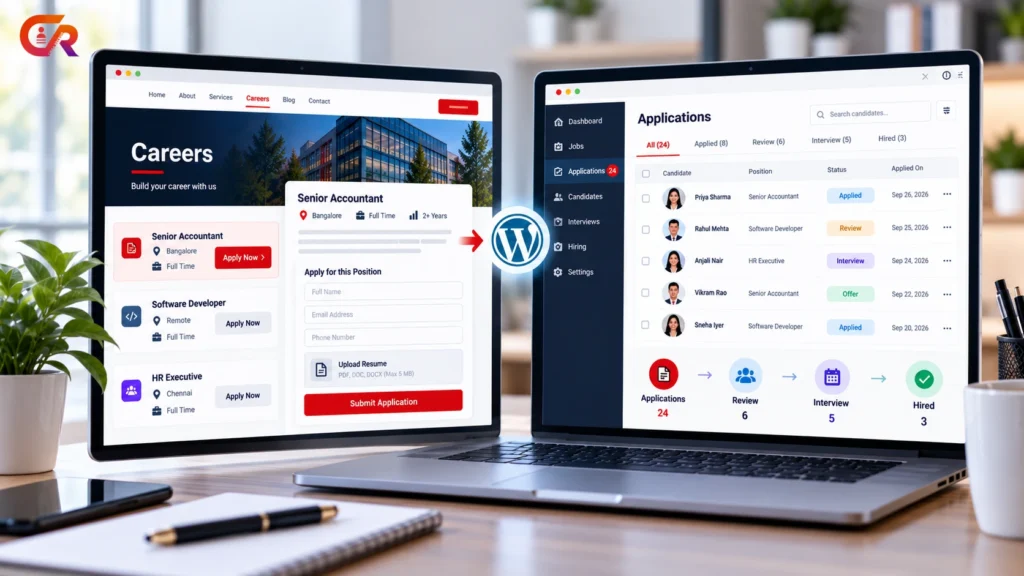
A WordPress applicant tracking system is possible, but it is not something WordPress provides out of the box. WordPress is a content management system. With the right setup, though, a WordPress site can publish jobs, collect applications and help you track candidates through hiring. How far it can go depends on what you add to it.
This guide explains what an applicant tracking system needs to do, what WordPress can handle by itself, what needs a plugin, and how to build a working process step by step.
Quick Answer
A WordPress applicant tracking system is possible, mainly through a recruitment plugin. On its own it can publish a careers page and collect form entries. With a suitable plugin it can also store applications, track statuses and manage candidates.
Can WordPress Be Used as an Applicant Tracking System?
In part, and with a suitable plugin, more fully. A standard WordPress installation can publish pages and collect form submissions, which covers the public side of recruitment. Tracking applicants properly, with records, statuses and controlled access, usually needs recruitment-specific functionality, typically from a plugin.
What you can achieve depends on the implementation. A simple setup may only list jobs and email applications to you. A fuller WordPress ATS stores applications inside WordPress and tracks each candidate through the hiring process.
Many small businesses look for an ATS for small business hiring that fits inside the website they already run. For some, a WordPress applicant tracking system is enough. For others it is a stepping stone to dedicated software. The sections below help you tell which applies to you.
What Does an Applicant Tracking System Need to Do?
An applicant tracking system manages applications from the moment a candidate applies until a decision is made. Typical requirements include:
- Job publishing. Creating job posts that candidates can find.
- Application forms. A clear way to apply.
- Resume and document collection. Receiving files safely.
- Application records. One stored record per application.
- Candidate review. A way for the hiring team to read and assess applications.
- Status tracking. Recording where each candidate stands.
- Hiring workflow. Moving candidates through defined stages.
- Access control and privacy. Limiting who can see candidate data.
- Reporting, where you need it.
Not every business needs all of these, so decide which ones your hiring process requires. For a broader introduction, read our guide to what an applicant tracking system is and whether you need one.
What WordPress Can Do on Its Own
Standard WordPress is strong at content. It can host a careers page, publish job descriptions as pages or posts, and manage who can edit the site. With a general form plugin, it can also accept applications by email or save form entries.
The limits appear once you need structure. A standard installation has no concept of a candidate, an application status or a hiring stage. Resumes land in an inbox or in generic form entries, there is no controlled access to applicant data, and there is no reporting on hiring. Without recruitment-specific functionality, WordPress is a website, not a recruitment system.
What Requires a Recruitment Plugin?
A recruitment plugin adds the missing structure. Depending on the plugin, that can include job listings, application forms, candidate or application records, status tracking and recruiter roles. This is what turns a careers page into a working WordPress hiring system.
Searching for applicant tracking WordPress options shows how varied the market is. Plugins differ. Some focus on publishing jobs, some add application handling, and some add pipelines and reporting, so check the specific features instead of assuming. Our comparison of a WordPress job board and a recruitment plugin explains how the categories differ.
How to Build an Applicant Tracking Workflow in WordPress
Follow these steps to build a WordPress applicant tracking system, whichever plugin you choose.
1Define your hiring requirements
List how many roles you hire, who reviews applications and what you need to record. This decides how much software you need.
2Build a careers page
Create a clear page that introduces the company and links to open jobs. Our guide to building a professional careers page in WordPress shows how.
3Create job listings
Publish each role with a clear title, responsibilities, requirements and instructions for applying.
4Add an application form
Give candidates one obvious route to apply, asking only for what you need. Our article on getting job applications on your website with WordPress covers this in more detail.
5Configure document uploads and privacy
Set allowed file types and size limits, add a privacy notice and consent where appropriate, and decide how long you will keep applications.
6Establish review and status processes
Define a few clear stages, such as new, under review, interview and decision, and agree who moves candidates between them.
7Test confirmation and recruiter access
Apply as a candidate, check the confirmation message and email, and confirm that recruiters can see only what they should.
8Monitor and improve
Review how applications arrive, close expired jobs and fix any point where candidates drop out of the process.
How to Manage Applications After They Arrive
Each application should become a record you can find, review and update. Keep the candidate’s details and resume together, record a status as they move through hiring, and note the outcome of each decision. Confirm receipt to every applicant and, where you can, tell them when a decision is made. Remove data you no longer need, in line with your privacy policy.
Good WordPress candidate management means one place to see who applied, which job they applied for and what has happened since. It is also how you manage job applications in WordPress without losing them in an inbox.
These principles are the same as in any ATS, as our guide to what a recruitment ATS is explains. For an example of how they work inside WordPress, see CMAA Recruit as a WordPress ATS for jobs, applications and hiring.
Security, Privacy and Access Control
Applications contain personal data, so treat the setup carefully. Points to consider include:
- Least privilege. Give each user access only to the jobs and applications they need.
- Secure uploads. Restrict file types and sizes, and consider how and where resumes are stored.
- Retention. Keep applications only as long as you need them.
- Backups and updates. Keep WordPress, themes and plugins up to date, and back up the site.
- Privacy obligations. Requirements depend on where you operate and where candidates live, so check the rules that apply to you. This article is not legal advice.
- Plugin security. Look at how a plugin is maintained, how it handles uploads and who can access stored data.
SEO and Job Visibility
Clear job pages help candidates and search engines understand a vacancy. Use specific titles and include the location, responsibilities and requirements. Google documents JobPosting structured data, which can make eligible job pages appear in job search experiences.
Structured data does not guarantee indexing or visibility, and pages must follow Google’s guidelines. Some recruitment plugins add it for you, so check whether yours does, and make sure the data stays accurate when a job closes. Job pages should also load quickly on mobile, be easy for search engines to crawl and be removed or clearly marked as closed once the role is filled.
WordPress ATS vs Dedicated Recruitment Software
Both approaches can work. The table compares them on common decision points. Details vary by product, so treat it as a general guide.
| Factor | WordPress-based setup | Dedicated recruitment software |
|---|---|---|
| Ownership | You host the site and hold the data | Often hosted by the vendor |
| Customisation | High, within WordPress and your plugins | Varies, usually within vendor options |
| Hosting responsibility | Yours | Usually the vendor’s |
| Maintenance | You update and secure WordPress and plugins | Mostly handled by the vendor |
| Workflows | Depend on the plugin chosen | Often broader and more configurable |
| Integrations | Depend on plugins and custom work | Often built in, varies by vendor |
| Reporting | Depends on the plugin | Often more extensive, varies by vendor |
| Scalability | Suits smaller or website-centred hiring | Often better for complex, high-volume hiring |
A WordPress-based setup may suit smaller or website-centred recruitment, particularly when you already run a WordPress site. A dedicated platform may be preferable for complex hiring operations. Neither is right for everyone.
Where CMAA Recruit Fits
CMAA Recruit is a WordPress recruitment plugin built for a single company’s own careers site. It is not automatically equivalent to every enterprise ATS.
The Free version includes job listings with an Advanced Job Builder and JobPosting structured data, a public application form with resume upload, an applications list for recruiters, a login-free candidate status page and a confirmation email to candidates. Resumes are encrypted at rest, recruiters see only their own jobs’ applications, and the plugin works with WordPress’s personal data export and erase tools. CMAA Recruit Pro adds features such as a Kanban pipeline, a candidates database, interview scheduling and analytics.
See how WordPress can support your recruitment workflow
Try the live demo to see job publishing, applications and candidate review working together in WordPress.
When WordPress May Not Be Enough
Some hiring needs are better served by dedicated recruitment software. These are not universal limits of WordPress, and a well-chosen plugin may cover some of them, but they are signs to evaluate your options:
- Hiring across several regions with different rules and teams
- Advanced enterprise permissions and multi-step approval chains
- Complex integrations with other HR or payroll systems
- Extensive analytics and reporting requirements
- Very high application volumes
If you are still deciding, our article on why small businesses are moving recruitment onto their own website looks at when a website-centred approach makes sense.
Frequently Asked Questions
Can WordPress track job applications?
Yes, with the right setup. Standard WordPress can collect applications through forms, but tracking them with records and statuses usually needs a recruitment plugin.
Is there an ATS plugin for WordPress?
Yes. Several recruitment plugins add applicant tracking features, and they differ in what they include, so compare their features. CMAA Recruit is one example.
Can candidates upload resumes to WordPress?
Yes. An application form can accept resume uploads. Restrict file types and sizes, and think about how the files are stored and who can open them.
Is WordPress secure enough for recruitment?
It can be, if you keep everything updated, limit access, choose well-maintained plugins and handle uploaded files carefully. Security depends on how the site is run, not on WordPress alone.
Can WordPress replace a dedicated ATS?
For some small or website-centred hiring processes, yes. For complex, high-volume or multi-region hiring, dedicated software may be a better fit.
Is WordPress suitable for small-business recruitment?
Often, especially if you already have a WordPress site and a modest number of roles. Check that the plugin you choose covers the features you need.
Final Takeaway
A WordPress applicant tracking system depends mostly on the plugin you choose. On its own WordPress publishes content. With a suitable recruitment plugin it can also collect applications, keep candidate records and track progress.
To decide whether a WordPress-based workflow fits, list what your hiring process needs, check which plugin covers it, think through security and privacy, and be honest about whether your hiring is complex enough to need dedicated software. Whichever route you take, start small, test the process as a candidate would, and adjust as your hiring grows.
Compare recruitment capabilities before choosing your setup
See the full Free and Pro feature breakdown for CMAA Recruit.

About CMAA Softwares
CMAA Softwares builds practical software for SMEs and professional firms, grown out of problems solved first inside CMAA Advisors' own payroll, compliance, and recruitment desks. CMAA Recruit is our recruitment ATS plugin for WordPress. Learn more about us.