
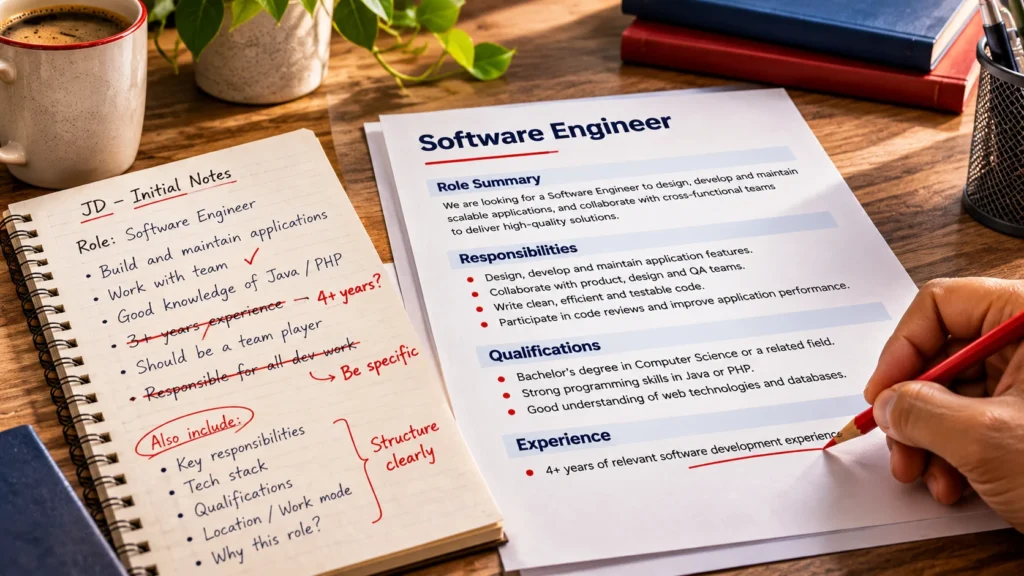
A job description is often the first real conversation between a company and a candidate. A vague title, a list of buzzwords or a description that hides the location and pay makes a suitable person scroll past. An exaggerated one attracts applicants who then find a different job from the one advertised. Both cost you time.
This guide shows how to write job descriptions that candidates can act on and that search engines can understand. The order matters: write for people first, then check that the page is easy to find and navigate. Our guide to making WordPress job listings SEO-friendly covers the technical side, while this article is about the writing.
What Makes a Good Job Description?
A strong job description answers the questions a candidate would otherwise have to ask. It usually contains:
- A clear role title.
- A short role summary.
- Defined responsibilities.
- Required qualifications and skills.
- Preferred qualifications, kept separate from the essentials.
- The employment type and the experience expected.
- The work location and work arrangement.
- Compensation information, where you choose and are able to share it.
- Clear application instructions.
A job description and a job advertisement are not always the same thing. The description is the full, accurate account of the role. An advertisement may be a shorter version placed on a job board. On your own website the page can serve as both, so it needs to be complete.
Understand the Role Before Writing
Do not start from an old template. Sit down with the hiring manager and agree the facts first. If you have not defined the hiring need, our guide to creating a recruitment workflow for a small business explains how. Settle these points:
- Why the role exists, and whether it is new or a replacement.
- The main responsibilities and the outcomes expected from them.
- Who the person reports to.
- The experience required and the technical and soft skills that are essential.
- The work location and the employment type.
Useful questions for the hiring manager include: what should this person have achieved after six months, which tasks will take most of the week, and what would make a candidate unsuitable?
A recruiter and a hiring manager working together produce a more accurate description than either one copying an earlier posting. Generic templates carry over duties and requirements that no longer apply.
How to Write an Effective Job Description Step by Step
Step 1. Choose a clear and recognizable job title
Use the title a candidate would type into a search box. Internal titles and creative wording make the page harder to find and harder to understand.
- Weak: Ninja Developer. Better: Software Engineer.
- Weak: Finance Associate Grade 3. Better: Junior Accountant.
- Weak: Customer Happiness Hero. Better: Customer Support Executive.
Step 2. Write a concise role summary
Open with two or three sentences on the purpose of the role and how it contributes to the organization. Say what the person will do and why it matters. Leave out exaggerated claims and company marketing language. For example: “As a Junior Accountant you will keep our financial records accurate and support the monthly reporting that managers rely on.”
Step 3. Describe responsibilities clearly
Use short, action-oriented bullet points, and put the most important duties first. Separate day-to-day work from occasional tasks. A focused list of five to eight duties is easier to read than an overwhelming list of twenty.
Compare “Handle accounts” with “Reconcile bank accounts weekly and prepare the monthly cash report”. The second tells a candidate what the work involves.
Step 4. Separate essential and preferred qualifications
Essential qualifications are the ones without which the person cannot do the job. Preferred ones are an advantage. Keep requirements realistic and tied to the work, because inflated lists discourage capable candidates from applying. Avoid unnecessarily restrictive criteria.
Step 5. Include accurate location and employment details
State the city and region, whether the role is on-site, hybrid or remote, and whether it is full-time, part-time, contract or temporary. Add any working arrangements that affect the decision to apply, such as shifts or travel. These details should match everywhere the job appears. A line such as “Hybrid: three days in our Pune office, two days from home” is clearer than “flexible working”.
Step 6. Explain experience and compensation clearly
Describe experience in terms the candidate can judge, such as the type of work, not an arbitrary range that does not reflect the job. “Two to three years of relevant accounting experience” tells more than “experienced”. Sharing pay can help candidates decide whether to apply, and many employers now do so, but disclosure rules vary by country and region. Check what applies to you before deciding what to publish.
Step 7. Add clear application instructions
Tell candidates what to submit, how to apply and what happens next. An instruction such as “send your CV” without an address or form leaves people guessing. A clear application method, a closing date and a note on the next step show respect for the candidate’s time.
Step 8. Review the job description before publishing
Run a short check before the page goes live:
- Confirm the facts with the hiring manager.
- Remove ambiguous wording.
- Correct spelling and grammar.
- Check that the requirements match the real role.
- Confirm the location and employment details.
- Test that the application process works.
- Confirm that the vacancy is genuinely open.
How to Make a Job Description Search-Friendly
Search optimization should support clarity, not replace it. Google’s guidance on helpful, people-first content applies directly: write for the reader first. Practical steps include:
- Use the actual job title naturally in the heading and the opening lines.
- Use the terms people in that profession use.
- State the location clearly when it matters.
- Use descriptive headings and lists for responsibilities and qualifications.
- Offer original, useful content and avoid copying other postings.
- Link the job from your careers page so search engines and visitors can reach it.
- Keep the page address descriptive where your website allows it.
- Avoid repeating keywords for their own sake.
There is no ideal keyword density and no magic word count. Google states that it has no preferred word count, so a description should be as long as the role needs. For example, a page titled Senior Accountant that states the location, full-time status and main duties in plain language already contains the terms a searcher would use. If you want to go further, see our guide on JobPosting schema, which is a separate subject.
A Practical Job Description Template
Copy this structure and adapt it. Replace the bracketed text, and delete any section that does not apply to the role.
Job Title: [The title candidates would search for]
Location: [City, region and country]
Employment Type: [Full-time, part-time, contract or temporary]
Work Arrangement: [On-site, hybrid or remote, with any detail that matters]
Experience Required: [The kind and amount of experience, in plain terms]
Role Summary: [Two or three sentences on the purpose of the role and its contribution]
Key Responsibilities
- [Responsibility 1]
- [Responsibility 2]
- [Responsibility 3]
Required Qualifications and Skills
- [Essential requirement 1]
- [Essential requirement 2]
Preferred Qualifications
- [Preferred requirement 1]
Compensation and Benefits: [Salary range or benefits, where available]
About the Company: [A short, factual description of the organization]
How to Apply: [What to submit, where to apply, the closing date and what happens next]
Keep the finished description to what a candidate needs to decide, and remove any section you cannot fill honestly.
Example of a Weak Job Description Versus an Improved Version
Here is a short weak version for an accountant, followed by an improved one. The company and details are invented for illustration.
Weak version
Accountant needed. Must have good experience and be hardworking. Handle accounts and other duties. Send your CV to us.
Improved version
Junior Accountant, Pune (on-site, full-time). You will support our finance team with day-to-day bookkeeping and month-end reporting. We expect two to three years of accounting experience.
- Responsibilities: record daily transactions, reconcile bank accounts, prepare monthly reports and assist with GST filings.
- Essential: a commerce degree or equivalent, and working knowledge of accounting software.
- Preferred: experience with Tally.
- How to apply: use the form on this page with your resume. We reply to every applicant, and applications close on 30 November.
The improved version names the role and location, lists specific duties, separates essential from preferred requirements, states the experience expected and gives a clear way to apply. It also avoids vague praise such as “hardworking”.
Common Job Description Writing Mistakes
- Overly generic descriptions: text that could describe any job in the industry.
- Unrealistic requirements: a long list of must-haves that no one could meet.
- Excessive jargon: internal terms that outsiders cannot decode.
- Discriminatory or exclusionary wording: language that discourages groups of people for reasons unrelated to the job. In the UK, Acas explains employers’ duties under discrimination law. Rules differ by country, so check yours.
- Missing location information: candidates cannot judge whether the job is practical for them.
- Unclear responsibilities: duties described so loosely that the role is impossible to picture.
- Keyword stuffing: repeating a phrase until the text reads badly.
- Copying without checking: reusing another company’s text or an old posting without confirming it is accurate.
- Failing to update vacancies: leaving filled jobs open.
Publishing and Managing Job Descriptions on WordPress
Publishing follows a simple routine: create a dedicated job listing, enter the title and details, organize the responsibilities and qualifications, add the location and employment details, preview the page, test the application process and check that the vacancy stays accurate after it goes live. Our guide to adding job listings to a WordPress website covers the options.
A recruitment plugin can make the routine more consistent. In the current Free version of CMAA Recruit (see the overview), the Advanced Job Builder has fields for the job code, department, employment type, work mode, location, experience range, application deadline, expiry date and salary. It also has content sections for Job Summary, Key Responsibilities, Preferred Skills, Educational Requirements, Certifications, Benefits and Perks, About Company and Additional Information.
There is no section specifically named for essential skills, so decide where to list them, for example in Additional Information, and check the result in the preview. The location is a free-text field, so write a city followed by a country. The job page shows the application form, and the form closes after the expiry date. Always preview a job on a phone before you publish it.
See how CMAA Recruit works
See how a WordPress recruitment system publishes job pages and manages applications.
Frequently Asked Questions
How long should a job description be?
As long as the role needs and no longer. Google says it has no preferred word count. Cover the essentials clearly and avoid filler.
Should a job description include salary?
It can help candidates decide whether to apply, and it is a good candidate communication practice. Whether you must disclose pay varies by jurisdiction, so check the rules where you hire.
How do I write a job description that attracts better candidates?
Be specific and honest. Use a recognizable title, describe real responsibilities, separate essential from preferred requirements and explain how to apply.
Should job descriptions include keywords?
Use the natural words for the role, such as the job title and the location. Do not repeat phrases to influence search engines.
What is the difference between required and preferred qualifications?
Required qualifications are needed to do the job. Preferred ones are an advantage but not a condition. Keeping them apart helps capable candidates apply.
Should every job posting have a separate page?
Usually yes. A dedicated page gives each vacancy a clear address, accurate details and room for a full description.
Choose the right recruitment setup
Compare the Free and Pro capabilities against how you publish jobs and manage applications.
Final Thoughts
A good job description is accurate, clear and written for the candidate. Knowing how to write job descriptions well means getting the facts right first, then making the page easy to find and navigate. Search optimization should strengthen that communication, not replace it.

About CMAA Softwares
CMAA Softwares builds practical software for SMEs and professional firms, grown out of problems solved first inside CMAA Advisors' own payroll, compliance, and recruitment desks. CMAA Recruit is our recruitment ATS plugin for WordPress. Learn more about us.